

I sold my Apple Watch to buy a smartwatch with less processing power than a Nintendo 64. This week I decided to follow my own advice (crazy inst it) I was for a long time frustrated that to develop for the Apple Watch platform I would have to change programming Languages or at least work with one different to the one I am working towards this days( yes C ). So I decided not anymore! And after selling it to a fair price on Marketplace ;) I bought a Pebble Time 2. And yeah, while it might seem like a downgrade in processing power(that it is) I can finally have one more platform to Program C to my Watch.
Pebble Time 2 Specs: CPU, RAM, and Battery Life Compared to Apple Watch
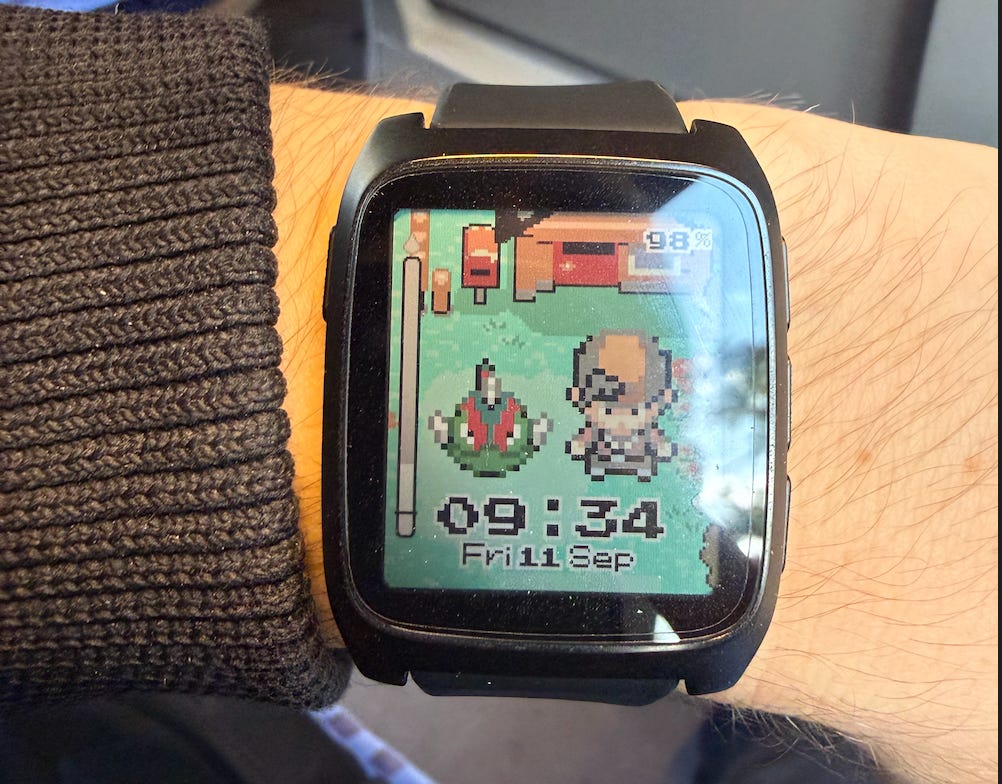
This week I built an example application just to taste the platform very quickly. So before we have a look on the application let me present the contender, Pebble Time 2 has a Cortex-M33-like chip with mind boggling 240 MHz(I know incredibly fast), it is not a fair comparison but if we compare Dhrystone MIPS this thing is able to allegedly beat Nintendo 64(125 DMIPS), with whooping 366 DMIPS, it loses for Sony PSP(533 DMIPS) but I take it since it fits lightly on my wrist with a very low power form-factor. =)
Max App Size(code+heap) of the Core Time 2’s 128 Kb, app budget exactly matches the entire SNES’s 128 KB of RAM(cough cough WRAM). Every watchface or app on your wrist has the same working-memory headroom that Nintendo gave Star Fox, Chrono Trigger, and Super Metroid to run their whole game state in. I know that on the SNES side there were couple of more things like an extra 64kb of VRAM and also an extra 64kb of APU RAM dedicated for audio stuff, but still to have an almost SNES-like device on my wrist is insane.
Battery life is crazy, coming from Apple Watch or Xiaomi smartchwaches where you need to charge every 2-3 days on the first years and everyday after first year or so, on Pebble Time 2 you can use it from 14 to 30 days in one charge, the difference is so big that there many cases where people lose their adapter/charger because 14 days is more than enough to wipe their mental caches of where did the charger was.
Having fun with Applications
Of course I had to had my “Hello World” application to test the platform and after some hiccups I have it running something I coded in C on my wrist, crazy right ? 🙈 Inspired by the concept of Life in Weeks, where anxiety-free people have a wall poster with every week of their life and every week they live they mark an X on it. I believe it was created to make you value and enjoy the present more.
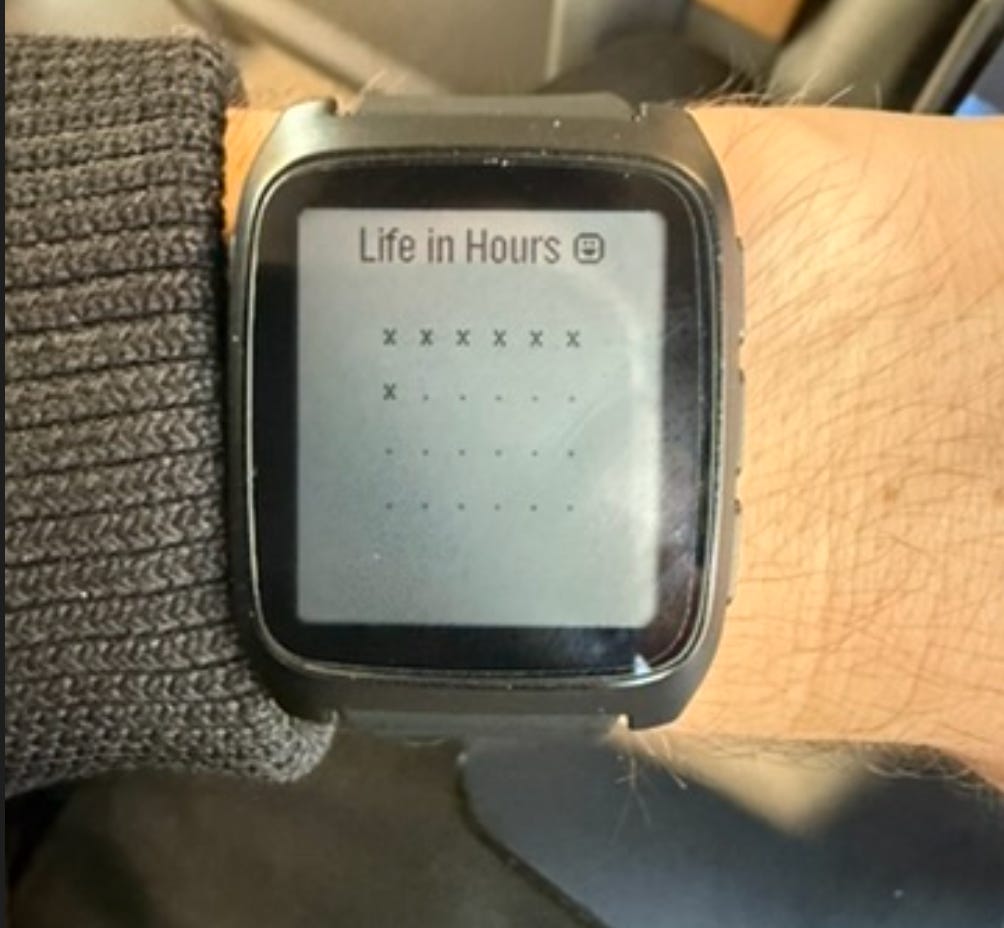
So here inspired by Life in Weeks idea I create an application called Life in Hours, where user can see how many hours of the day were already spent. It was more to give me an idea of the Pebble platform, how hard it is to control apps with the buttons and how to download it on the Pebble Time 2 watch. It was way easier than I had anticipated, I encountered just one bug on Pebble Iphone app where it was not showing the “Dev Connection” Ip, after couple of tries and toggling on almost every setting possible I was able to to see the Ip and to have finally my first Watch App 🥹.
For the interaction with your App, Pebble have plenty of example applications online but they basically have static function handlers that execute whatever you code inside these functions:
static void prv_select_click_handler(ClickRecognizerRef recognizer, void *context) {
  text_layer_set_text(s_text_layer, “Select”);
}

static void prv_up_click_handler(ClickRecognizerRef recognizer, void *context) {
  text_layer_set_text(s_text_layer, “Up”);
}

static void prv_down_click_handler(ClickRecognizerRef recognizer, void *context) {
  text_layer_set_text(s_text_layer, “Down”);
}
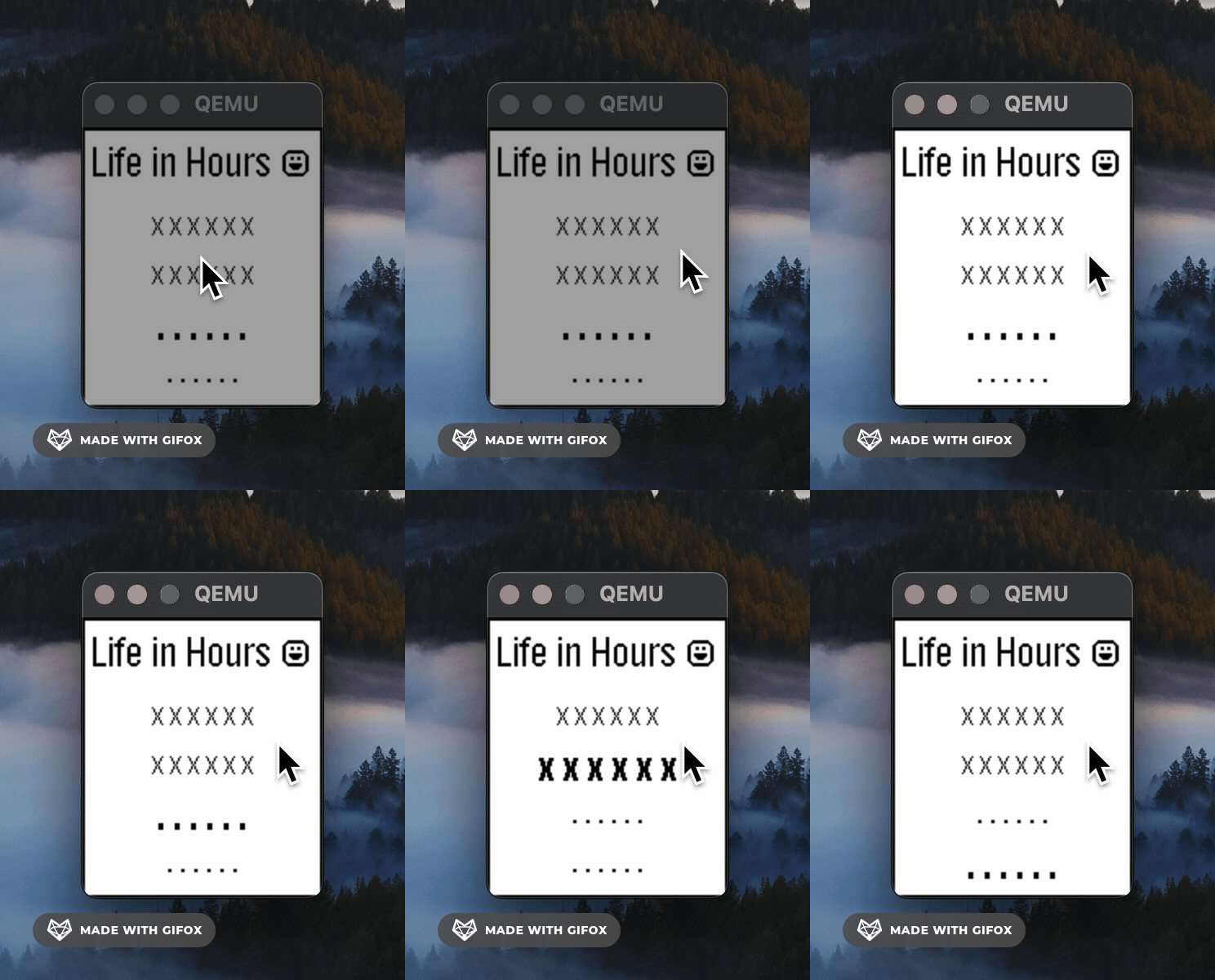
I have way less trouble creating the interface for my application with Pebble than with GTK 😅 who would have guessed, maybe I am learning and progressing or maybe they made it more beginner-friendly. Pebble also provides you configured emulators for you to have a quick feedback of how your application will look like.
Insightful information when building for Pebble
Pebble has a lot of tutorials and documentation online, also example projects with code fully available on github. For this application specifically that I created on this post I was creating an Application and not a Watchface(maybe something to explore later), because I really wanted something that allows me to play with as many inputs as possible as an full Application in this case. If you want to start with my project as “Hello” world example you can see the code here and I advise you to start with the code from my early commits, so then things do not appear as complex as the “full” Application.
Follow Pebble SDK installation clone example projects and compile/build them with the commands bellow:
# To Compile and build your application
pebble build
# To install on emulator similar to Pebble Time 2
pebble install --emulator emery
Key Takeaways & What’s Next
So yeah, quick recap for the lazy readers (I do this too, don’t judge 😅): I sold a watch with more processing power to buy a watch that loses to a PSP in DMIPS, and I have zero regrets. Turns out I don’t need my watch to be fast for now, I just need it to run C 🥹, and Pebble delivers that without making me fight GTK-level pain to build a UI. 🙈
Some honest takeaways:
128KB is not a limitation; it’s a vibe. If Nintendo could fit Chrono Trigger’s whole game state in that budget, I can fit an app that tells me how many hours of my day are gone.
The SDK and emulator workflow is genuinely beginner-friendly, way more than I expected going in, bugs and all (looking at you, missing Dev Connection IP 🙄).
What’s next? I want to actually try building a Watch Face instead of a full Application, or maybe build another app like a bulletproof alarm app since my iPhone keeps sabotaging me with alarms not ringing or ringing at volume 1 😅. So putting myself in a limited-resources architecture made me actually breathe freely with the possibility of writing fun code for it.
If any of you have played with Pebble SDK before or have watchface tips, hit me up, would love to hear it.
Very nice how you were able to use C to your advantage here. Thanks for sharing!