

I have urge for developing things, for creating new stuff and thats why my mind everyonce in a while comes up with weird ideas but I still take notes until suddenly a good idea comes in. Past weekend I was reading Milionaire fastlane from MJ De Marco and that book really ignited my will for creating things even more.
Here are the things you will read on this article:
The Spark: Why I built This App
Why C ?
Design is my passion /s
GTK Hello World app
Spice things up
Handling Time-sensitive Tasks on GTK
The Spark: Why I built This App
It is not the first time I try to jump from the Content Consumer Wagon and go to the Content Creator Wagon. I thought it could be motivating to add a specific timer for the platforms around me where it would be just a simple timer to be added to a keyboard shortcut and maybe if it was created by me(very meta I know) it would motivate me even more.
The idea of this post is to share the challenges and learned concepts through the developing of a tiny Timer app in C using GTK Library for MacOS.
Why C ?
I choose C because this language is pursuing me(like the plague) for the past decade or more, I dodge it learning during bachelor degree because everyone near me that was good in C was arrogant when sharing their knowledge, so unfortunately I did the bare minimum to learn this language and pass exams(T.T). I endedup becoming experienced in Java where people where helpful and the community was also good at the time. During the past decade I setup myself to learning C couple of times, 9 years ago I got a bit good, but life circunstancies played out and meanwhile I’ve being working as developer with Java, Python, Javascript and so on. I still have this willingness and curiosity to Learn C and I believe that on the age of AI, to know the inner workings of everything running on your computer is becoming more and more vital to survive on the market.
Design is my passion /s
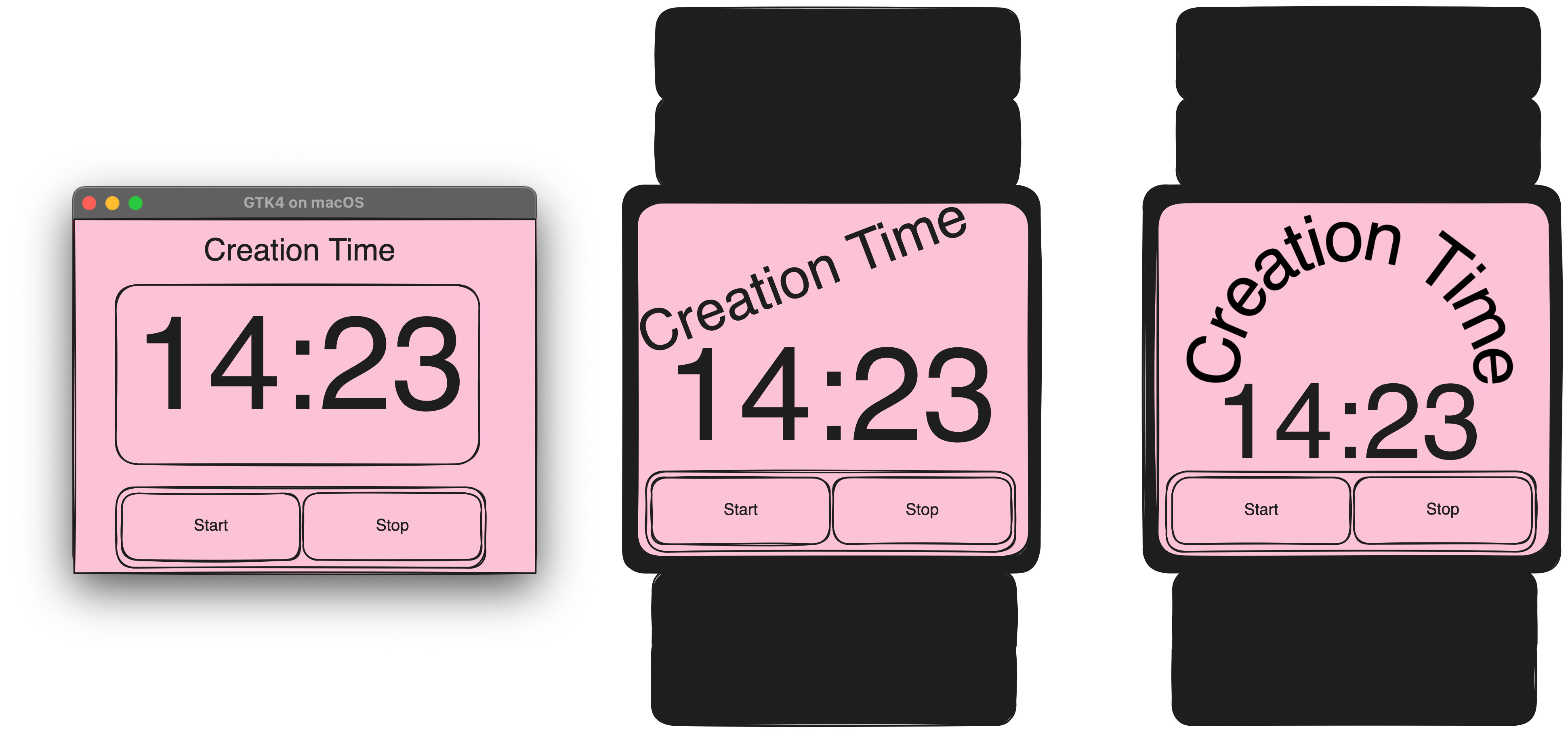
I always like to make some sketch of How I visualize the application to be in my head and as you can see I am very advanced in App design with Excalidraw. Jokes a side it is something quick to set a direction and for me how to visualize my applications, you should also try, don’t let your ideas only inhabit your mind.
How to create a GTK Hello World app
Lets start learning shall we ? To code a C app with GTK library included on your MacOS follow these steps.
Install GTK4 on MAC
Not that complicated, if you have homebrew installed it is super easy just execute these commands. THe first one install gtk and the second install the required libraries to gtk work.
brew install gtk4
brew install pkg-config
Enable GTK library documentation on Vscode(optional)
Add this to your c_cpp_properties.json. This file can be acessed by Ctrl+Shift+P and searching for Edit Configuration.
“includePath”: [
“${workspaceFolder}/**”,
“/opt/homebrew/include/gtk-4.0”,
“/opt/homebrew/include/glib-2.0”,
“/opt/homebrew/lib/glib-2.0/include”,
“/opt/homebrew/include/pango-1.0”,
“/opt/homebrew/include/cairo”,
“/opt/homebrew/include/gdk-pixbuf-2.0”,
“/opt/homebrew/include/graphene-1.0”,
“/opt/homebrew/lib/graphene-1.0/include”,
“/opt/homebrew/include/harfbuzz”
],
Hello world app
Once everything was installed first thing I went to was to compile a hello world app using GTK.
Me: How hard could it be right ? Me: right ? GTK C Library leaves the room
Here is the most basic app you can copy and paste just to have a new shiny application window on your Screen:
#include <gtk/gtk.h>
#include <stdint.h>
#include <stdio.h>

static void activate(GtkApplication *app) {

GtkWidget *window;

window = gtk_application_window_new(app);

gtk_window_set_title(GTK_WINDOW(window), “GTK4 on macOS”);
gtk_window_set_default_size(GTK_WINDOW(window), 400, 300);

// Defines the CSS targeting the ‘window’ node
const char *css = “window { background-color: red; }”;

// Creates the CSS Provider and load the string (found in GtkCssProvider docs)
GtkCssProvider *provider = gtk_css_provider_new ();
gtk_css_provider_load_from_string (provider, css);

// Gets the display and add the provider
GdkDisplay *display = gdk_display_get_default ();

gtk_style_context_add_provider_for_display (display,GTK_STYLE_PROVIDER(provider),GTK_STYLE_PROVIDER_PRIORITY_APPLICATION);

gtk_window_present(GTK_WINDOW(window));
}

int main(int argc, char **argv) {

GtkApplication *app;
int status;


app = gtk_application_new(”com.example.GtkApp”, G_APPLICATION_DEFAULT_FLAGS);
g_signal_connect(app, “activate”, G_CALLBACK(activate), NULL);
status = g_application_run(G_APPLICATION(app), argc, argv);
g_object_unref(app);

return status;
}
You can compile it using the following minimal Makefile
CC = gcc
CFLAGS = $(shell pkg-config --cflags gtk4)
LIBS = $(shell pkg-config --libs gtk4)
TARGET = my_gtk_app

all: $(TARGET)

$(TARGET): main.c
	$(CC) $(CFLAGS) main.c -o $(TARGET) $(LIBS)

clean:
	rm -f $(TARGET)
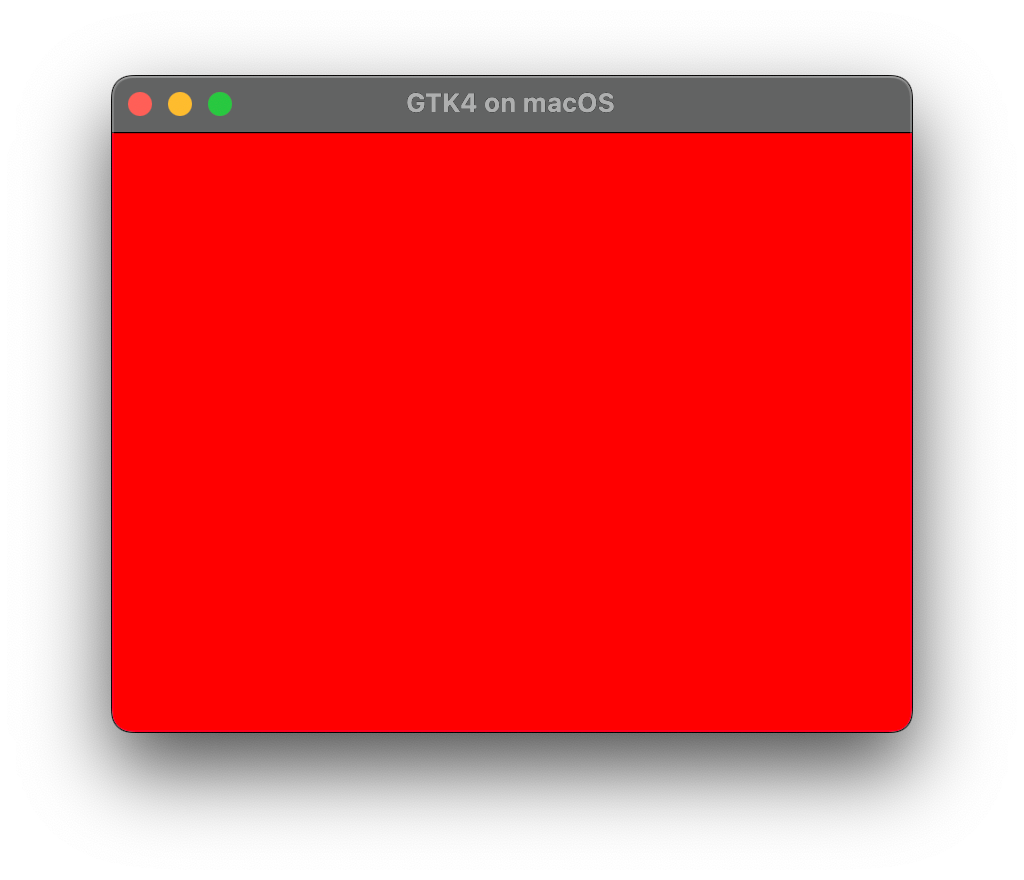
Compile it with make command and you should see something like the application below:
Spice things up
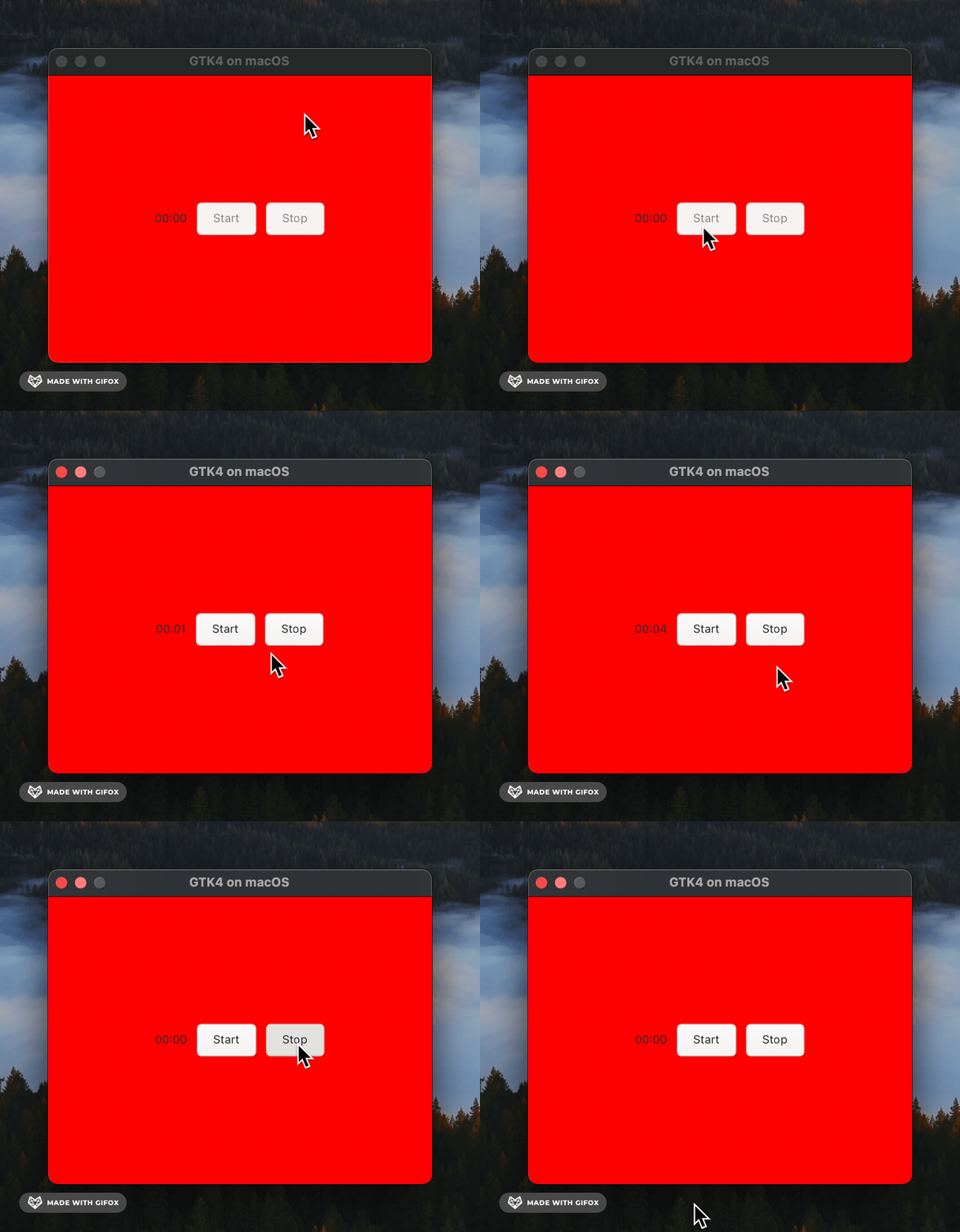
Ok now that we have our first version compiled lets add buttons and the timer label. For these 2 to work the main lines of code you should be concerned are:
// inside activate function ...

timer_label = gtk_label_new (timer_text);
gtk_box_append (GTK_BOX (box), timer_label);

g_signal_connect (start_button, “clicked”, G_CALLBACK (on_start_button_clicked), timer_app_data);

g_signal_connect (stop_button, “clicked”, G_CALLBACK (on_stop_button_clicked), timer_app_data);
Handling Time-sensitive Tasks on GTK
One I did not showed yet and important lesson here is that we are running this application still in a single threaded manner, so if you want a task to be constantly running, searching, fetching or code parts where you need it to run functions tied to time, then instead of using something like a while true or a big for you should schedule your function. How do we schedule a function using GTK library ? I am glad you asked below I am showing how I implemented this scheduling inside start_button clicked action:
static void
on_start_button_clicked (GtkButton *button, gpointer user_data)
{

TimerAppData *data = (TimerAppData *)user_data;
data->stop_button_pressed = 0;

printf(”Button clicked\n”);
printf(”Tick-tack\n”);

// Here it is how you can schedule Time-sensitive tasks on GTK
// even in a single threaded setup
g_timeout_add(1000, on_timer_tick , data);
}
The End for now ...
I hope you liked and learned something with this post I did not want to make it 100% tutorial but I want it also to share the lessons learned and the problems I spent the most amount of neurons on it. Please any feedback is welcomed it is my first post on this platform, if you liked the post please leave a like, comment something and lets chat!
I am still want to find my voice, maybe one day I can do funnier and more informative posts like other creators but I need to start somewhere.
The code for the whole application you can checkout here : creation-timer-app